Which keyboard tray is best?
Many people spend a great deal of time in front of a computer, whether for an office job or a hobby such as writing or gaming. Often, it’s difficult to find a comfortable angle when typing on top of your desk. Or perhaps you don’t have the space for the keyboard you want.
Many people turn to keyboard trays — such as the 3M Easy Adjust Sit/Stand Keyboard Tray, with its extreme adjustability — to fix these issues.
What to know before you buy a keyboard tray
Keyboard tray type
There are three types of keyboard trays.
- Under-desk trays are the most common. They use a range of systems to attach to either the lip or the underside of the desk.
- Chair-mounted trays connect to either the arms or the central post of your chair. These are best for those who like to lean back when at their desk. If you plan on using this type, you should use wireless keyboards and mice.
- Wall-mounted trays are best used in conjunction with nonstandard desk situations. Think circular or standing desks, or even areas with no desks at all.
Size and fit
Ensure that the tray matches the keyboard first, then check to see if it can be installed in the location you want. Keyboard trays come in as wide a range of sizes and shapes as keyboards and desks, so it shouldn’t be too difficult.
Mouse zone types
Many keyboard trays include a separate area meant to hold a mouse. These typically come in one of three types.
- Fixed zones are just that, fixed. They attach directly and aren’t movable or adjustable.
- Detachable zones can be attached and detached at will, usually to many possible sections of the tray.
- Swivel zones usually attach to one spot of the tray, but can also be adjusted or at the very least moved out of the way.
What to look for in a quality keyboard tray
Adjustability
The best keyboard trays are adjustable in one or many ways.
- Drawers: This adjustment lets you slide your keyboard forward and back, both to match the distance of your chair and to stash the tray away when not needed.
- Knobs: Knobs are the most common methods for adjusting the tray. Most have knobs for the height and one or more angles.
- Lift-and-lock: This system replaces the height knob with the ability to, well, lift and lock the tray where you want it. It still uses knobs for angle adjustments.
- Sit/stand: This is a special adjustment that lets you radically change the height for use while sitting or standing. These trays don’t come cheap.
Wrist support
Better keyboard trays offer padding stuffed with foam or gels for you to rest your wrists on when not typing. Keep in mind that it may get in the way if your keyboard already has wrist support.
How much you can expect to spend on a keyboard tray
Keyboard trays typically cost $20-$300. Basic options typically cost $30 or less while midrange models go for roughly $50-$100. The best, and especially most adjustable, trays can cost up to $300.
Keyboard tray FAQ
Why should I use a keyboard tray?
A. The most common reason for using a keyboard tray is to fix the kinds of pain caused by having your body placed in an unnatural position for extended periods of time. By placing the keyboard below your desk, you’re able to keep your elbows at 90 degrees and your wrists straight. This can alleviate pain everywhere from your wrists up to your shoulders and even help with inflammation.
How hard is it to install a keyboard tray?
A. That depends on the method of installation and how hard the initial assembly is. The easiest trays include the tools you need to assemble them and use twist knobs to tighten against the lip of the desk. The hardest trays to install use a sizable collection of pieces and parts and require you to drill holes into your desk.
What’s the best keyboard tray to buy?
Top keyboard tray
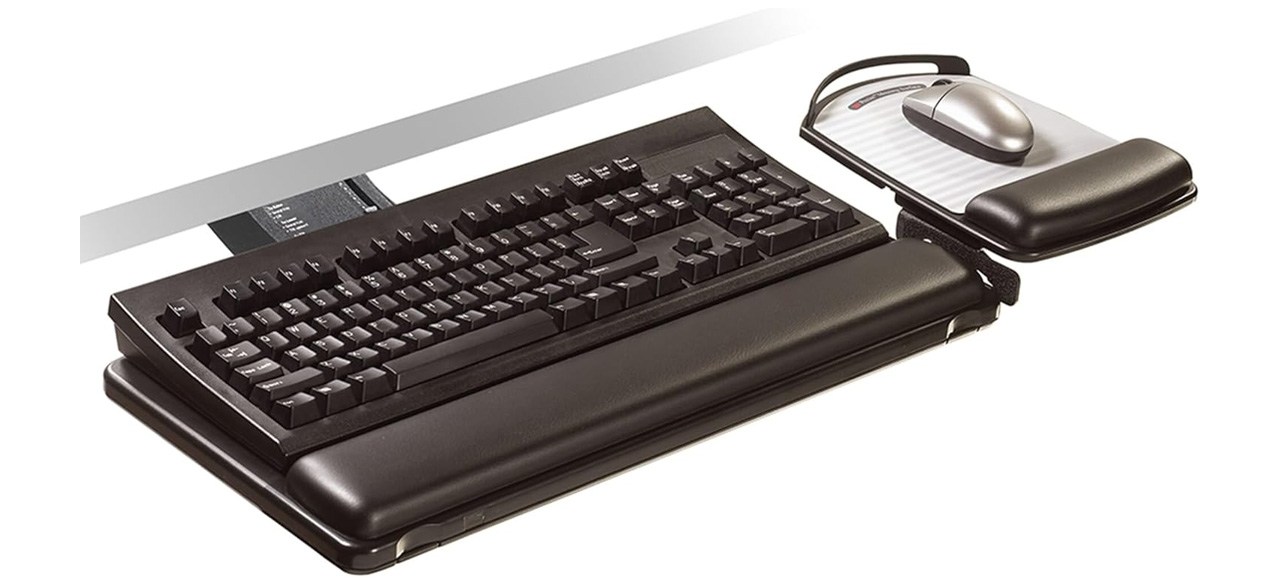
3M Easy Adjust Sit/Stand Keyboard Tray
What you need to know: This tray is packed with every feature you could want.
What you’ll love: It has an adjustable height and tilt — both with angle indicators — that make it workable for use while standing or sitting. A 23-inch track makes it easy to stow away, and the mouse pad and keyboard zones each have wrist rests.
What you should consider: It’s extremely expensive. A few consumers were unhappy with the mouse pad attachment. Others found the tray difficult to adjust.
Top keyboard tray for the money
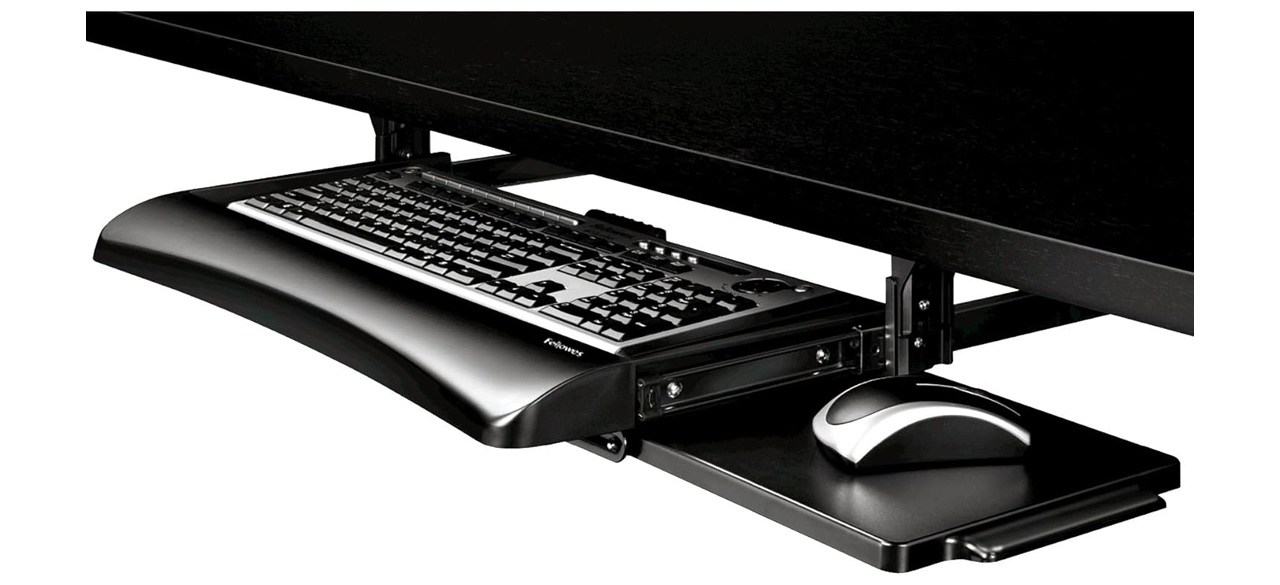
Fellowes Office Suites Underdesk Keyboard Drawer
What you need to know: It’s surprisingly comfortable and adjustable for its low cost.
What you’ll love: It can adjust to three heights, and the mouse area can be placed on the left or right side of the tray, or even kept underneath the tray if not needed. The tray can be pushed underneath the desk for storage.
What you should consider: A few customers found it difficult to install. The mouse area is lower than the keyboard tray, which takes some getting used to.
Prices listed reflect time and date of publication and are subject to change.
Check out our Daily Deals for the best products at the best prices and sign up here to receive the BestReviews weekly newsletter full of shopping inspo and sales.
BestReviews spends thousands of hours researching, analyzing and testing products to recommend the best picks for most consumers. BestReviews and its newspaper partners may earn a commission if you purchase a product through one of our links.
Distributed by Tribune Content Agency, LLC.